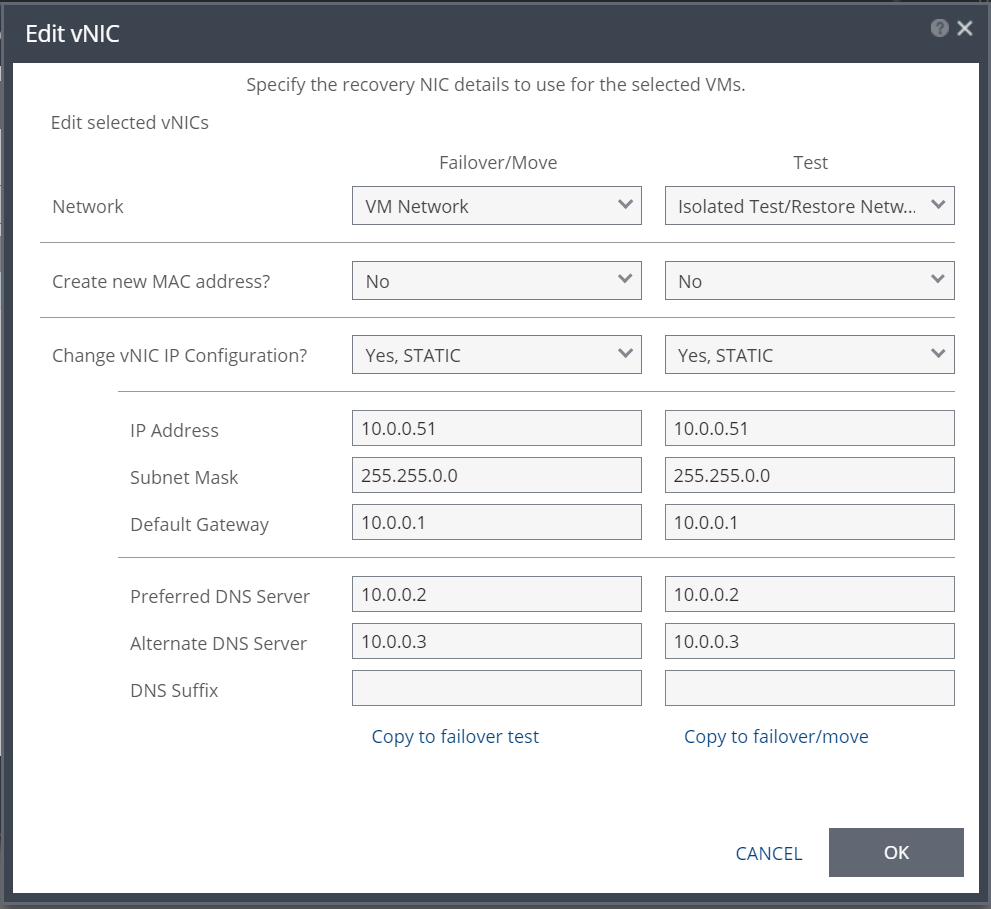
When configuring IP address changes in Zerto Virtual Replication (ZVR) one common challenge is data entry. Yes, it’s certainly easy to configure the new IP addresses in the GUI, but when you are protecting hundreds of VMs with hundreds of vNICs then using the GUI can become a problem. Not only will it take you a long time to configure each vNIC one by one, but you are introducing the risk of human error.

To solve this challenge I created 2 PowerShell scripts to fully automate re-IP addressing in bulk. The first script “ZVR Bulk Re-IP Export v1.ps1” exports a list of every protected VM vNIC to a CSV with a column for each configuration item possible. You will need to protect every VM first for its vNIC info to be exported, edit the variables at the top of script for your environment, then run it to get the below output:

You can now easily edit the CSV with all the new IP information required. Simply edit the variables at the top of “ZVR Bulk Re-IP Import v1.ps1” and run the script to import the re-IP settings. If all goes well you’ve just saved yourself many hours of manual work! To download both scripts click on the below link:
If you haven’t updated already make sure you are on at least ZVR 4.5 U2 for the script to work (as it uses the manage VPG API introduced in 4.5). It also presumes all the VMs have VMware tools installed and is for vSphere to vSphere replication. If you like this script, found it useful and it saved you a lot of time please share this post on across your networks. Happy scripting,
Joshua






 Virtually Sober
Leave a reply to Export Zerto Config | Geraldo Magella Junior Cancel reply