Note: Updated to v2 08/15/19 to use PowerCLI from the PowerShell gallery rather than the deprecated installer, other than that still working great. Thanks to Doug Dockter for the heads up.
When planning DR or migrations from VMware vSphere to Microsoft Azure, one very important task is to configure the appropriate VM/instance sizing to match your current VM settings. This needs to be done in advance for the following key reasons:
- Ensure adequate performance of the VM when running in Azure
- Select the VM size that supports the number of vNICS and vDisks required
- Perform a cost analysis of VM runtime and storage costs
In ZVR 5.0 selecting the Azure VM size is very easy in the GUI:
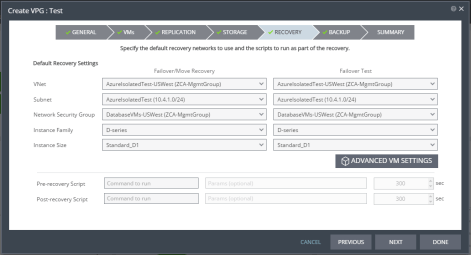
But what this doesn’t do is tell you exactly which one to pick and neither does it tell you how much it is going to cost!
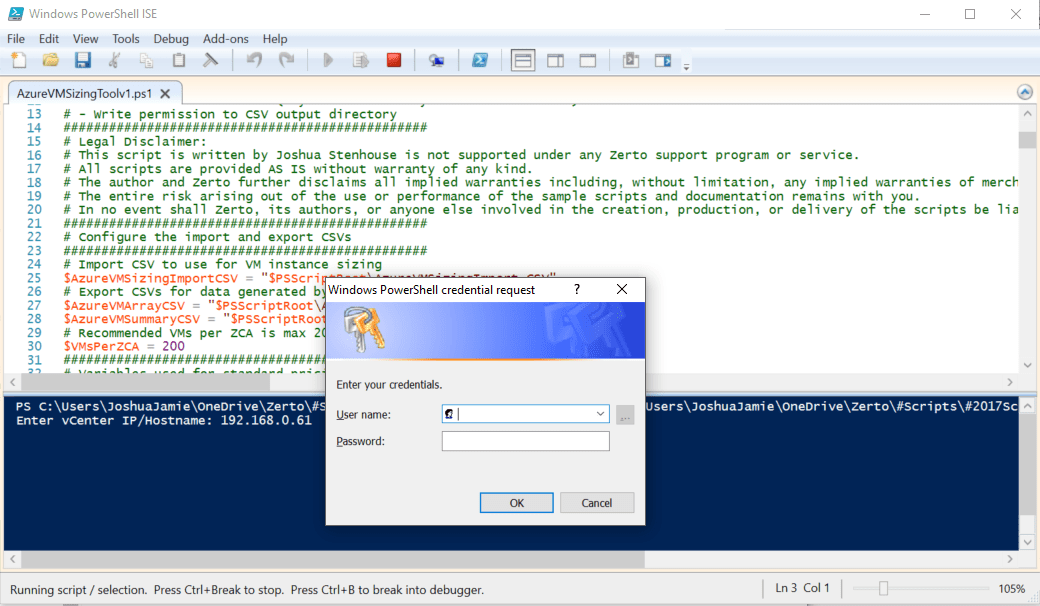
So how are you going to select the correct instance size and calculate the cost for all your VMware VMs? That sounds like a manual and tedious task that thousands of people are going to have to tackle over the next few years. Of course, you already know I have something that is going to help you otherwise you wouldn’t be reading this far!Click on the link below to download a small PowerShell script and CSV which will automatically calculate all of this for you. All you need to do is specify the vCenter IP, your username, password (with view permissions) and that’s it! You’ll need to ensure you have PowerCLI installed before running it:
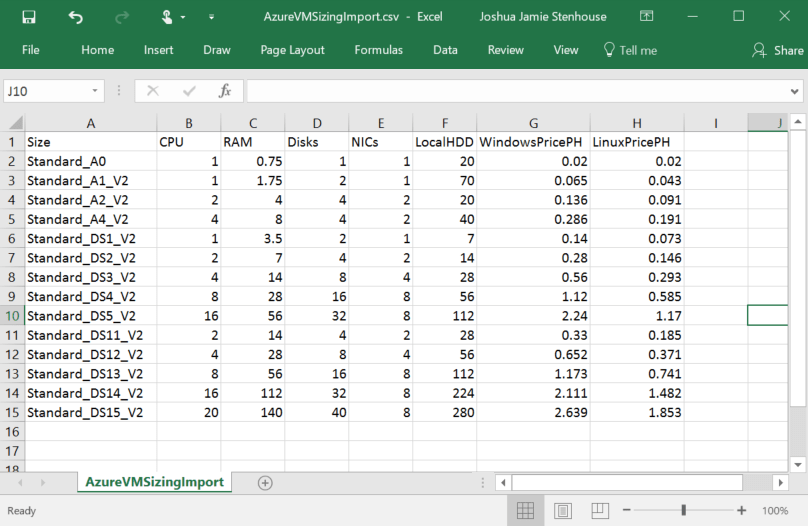
The script uses the supplied CSV as a template to select the correct Azure VM sizes, connects to your vCenter, pulls a list of the VMs, counts vNICs and vDisks then recommends the minimum size for each VM and calculates the cost. The template and script supplied are using current US East pricing and I included only the VM sizes that were applicable for my VM performance profile. You can easily add your own preferred VM sizes and update prices etc:
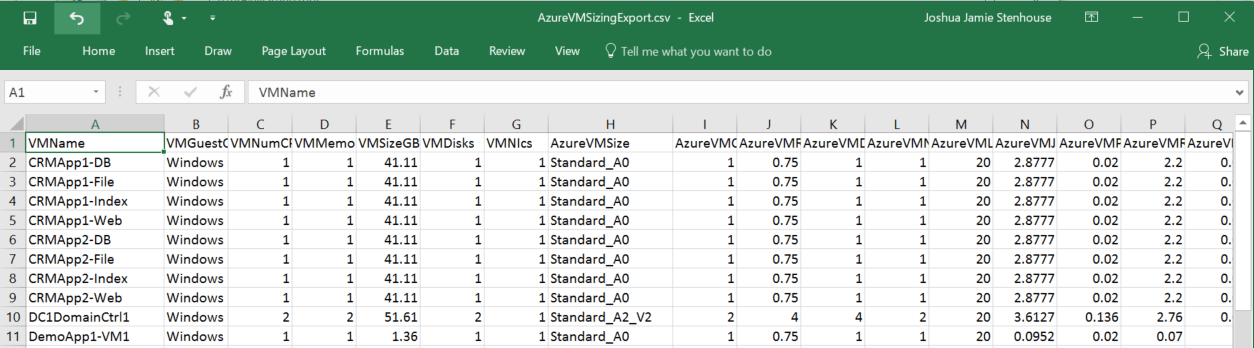
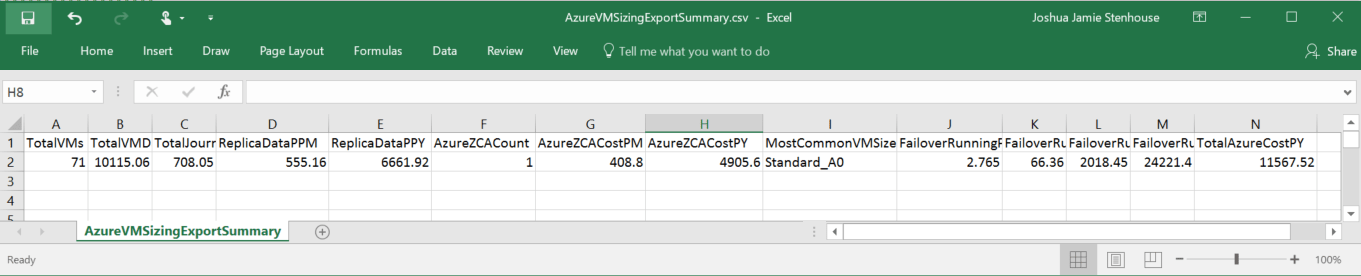
After running the script, you will see 2 exported CSV files in the same directory. These are:
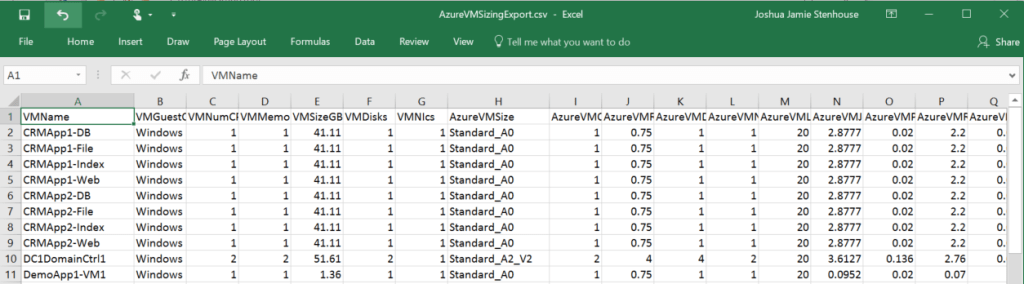
- AzureVMSizingExport.csv
– A list of all the vSphere VMs, their size, settings and the appropriate Azure VM size to use - AzureVMSizingExportSummary.csv
– A summary of the total cost of replicating to Azure, using ZVR to replicate & the cost of DR testing
And that’s it! I hope you find this useful, it saves you a bunch of time and helps you in your journey to the cloud. If it did any of these then please like, tweet and share this post! Happy scripting,
Joshua






 Virtually Sober
Leave a comment